
From XFCE to EXWM: Living in Emacs Desktop on MX Linux
Table of Contents
Emacs is a text editor that, through EXWM (Emacs X Window Manager), can also be your window manager — meaning every X application on your screen becomes an Emacs buffer, managed with Emacs keybindings, Emacs windows, and Emacs workflows. This is the story of replacing XFCE with EXWM on MX Linux, why it took more than an afternoon to get right, and what the result actually looks like day to day. I am strongly indebted to claude.ai for help both with the EXWM setup and with this technical report.
1. Leaving XFCE Desktop
XFCE on MX Linux is stable, lightweight, and does its job without
complaint. So why replace it? Because the daily friction of switching
between “Emacs mode” and “everything else mode” — alt-tabbing to a
terminal, a browser, a mail client, each with its own keybindings and
its own window management logic — adds up. EXWM removes the seam. A
browser window becomes a buffer you can switch to with C-x b, split
with C-x 3, or send to another workspace with the same commands you
already use for Org files. The window manager stops being a separate
layer you tolerate and becomes an extension of the editor you already
live in.
This is not a rejection of XFCE’s applets or its convenience utilities — several of them come along for the ride, as the next section explains.
2. With keeping XFCE utilities
Switching to EXWM does not mean discarding every piece of XFCE. In practice, the login screen (LightDM) offers “EXWM” as a session entry alongside “Xfce,” and only the window manager itself changes: instead of xfwm4 and the XFCE panel, Emacs takes over window placement, workspaces, and focus. Small XFCE utilities that have nothing to do with window management — a clipboard manager, for instance — are kept and launched from the session’s autostart, guarded so they only run under EXWM and don’t double-launch if you boot back into a plain Xfce session for any reason.
The practical layers look like this:
- The core: an EXWM configuration file loaded from Emacs’ personal
layer (under Prelude, this lives in
~/.emacs.d/personal/exwm-config.el), defining, for example, key bindings and the rules for which applications float versus tile. - The session glue: a
.desktopentry under/usr/share/xsessions/that makes “EXWM” appear as a choice in LightDM, pointing to a small startup script that setsXDG_CURRENT_DESKTOP(so XFCE-derived tooling still finds its bearings), syncs the D-Bus activation environment, waits a few seconds fordex -ato fire the usual XDG autostart entries, and only then execs Emacs in fullscreen — no separate desktop environment involved. - The XFCE leftovers: autostart entries for utilities worth keeping, each conditioned on the session type so they behave correctly whichever session is chosen at the login screen.
3. Some pitfalls on the way
None of this worked cleanly on the first attempt, and most of the real learning happened in the gap between “it starts” and “it starts reliably, every time, with nothing left behind.”
- Autostart timing. XDG autostart and EXWM’s own initialization
don’t naturally agree on ordering. Applications launched too early
start before EXWM has finished setting up workspaces and end up
misplaced or, worse, launched twice — once by the desktop session
and once by Emacs itself. The concrete fix ended up living in the
session script
itself: a short delay before firing
dex -a, rather than trying to race EXWM’s own startup. - Tray detection. System tray icons rely on an application announcing
itself on a specific X selection (
_NET_SYSTEM_TRAY_S0). EXWM doesn’t provide a tray by default, so tray-dependent applets need either a lightweight standalone tray or an event-driven polling approach to detect when the selection becomes available, rather than assuming it’s there from the first frame. - A ghost Emacs daemon. A background Emacs daemon left running across a shutdown can resurface at the next boot in a broken state, holding onto stale environment variables or a dead X connection. The fix is a proper guard in the daemon’s own autostart entry, verified with a plain pgrep -af before ever trusting a reboot.
- Init system migration. Managing EXWM’s session lifecycle cleanly across reboots eventually meant moving session startup from systemd user units to sysVinit-style management on the desktop machine — a more predictable ordering for something that needs to happen before the window manager, not alongside it as one service among many.
Each of these, on its own, is a small technical problem. Together, they are the difference between a demo that works once and a daily driver that survives updates, reboots, and the occasional crash without ceremony.
4. The result
What it looks like day to day: a browser window and a shell buffer, side by side, tiled in the same EXWM workspace — no alt-tab between a “desktop” and “Emacs,” because there is only Emacs. The mode line carries the usual tools (YASnippet, and the rest) at the bottom of the same frame that holds a live shell and a browser tab, all reachable with the same buffer-switching commands used for editing Org files or running a proof assistant.
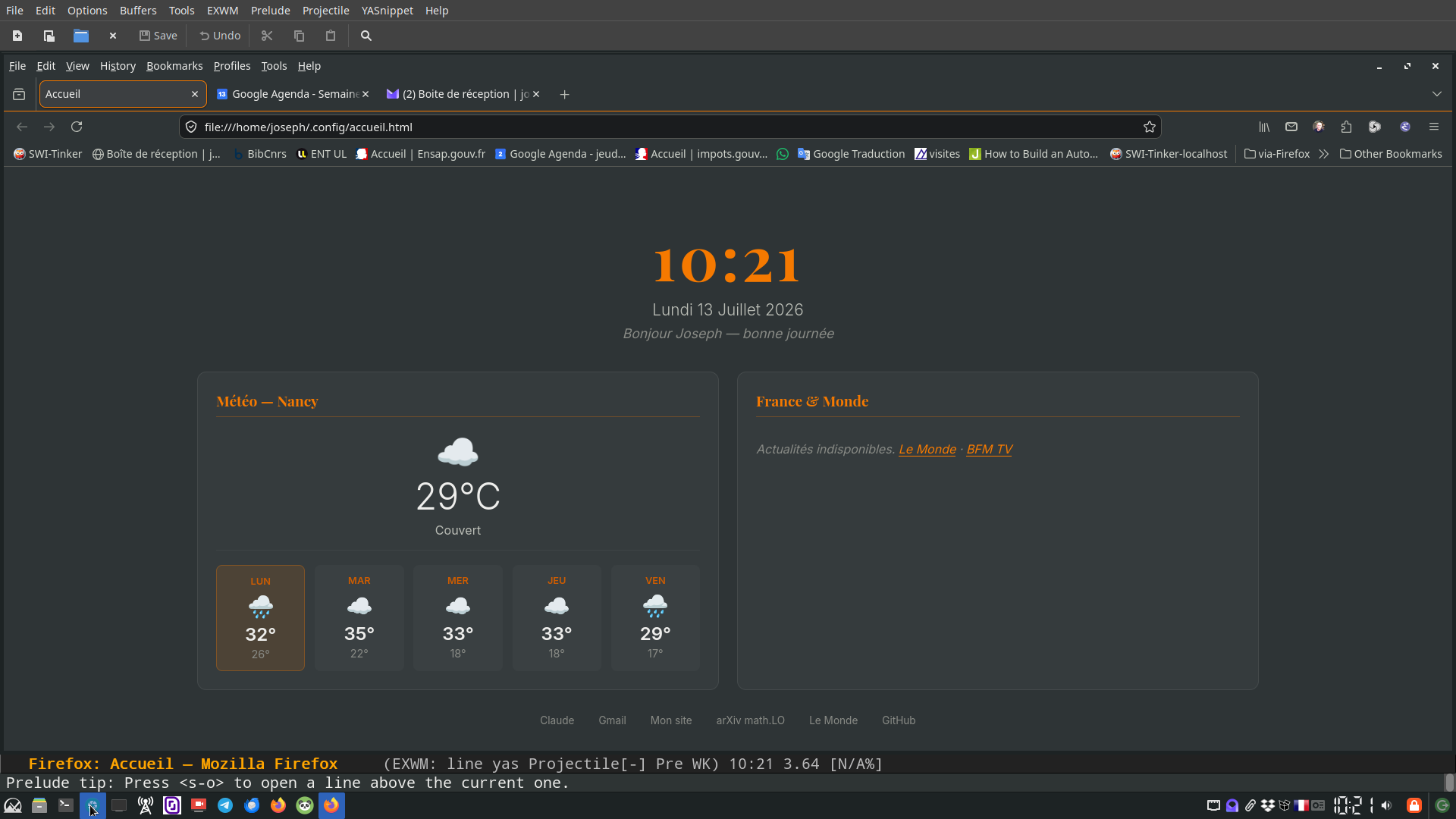
Figure 1: Startup: Firefox fullscreen on the home page, EXWM already running underneath
One keystroke captures how responsive this actually feels day to day:
S-s splits the frame and drops Firefox next to a shell — or just as
easily Firefox next to Wanderlust — without leaving the keyboard or
thinking about which application owns which window. Same command,
same mental model, whatever ends up on either side.
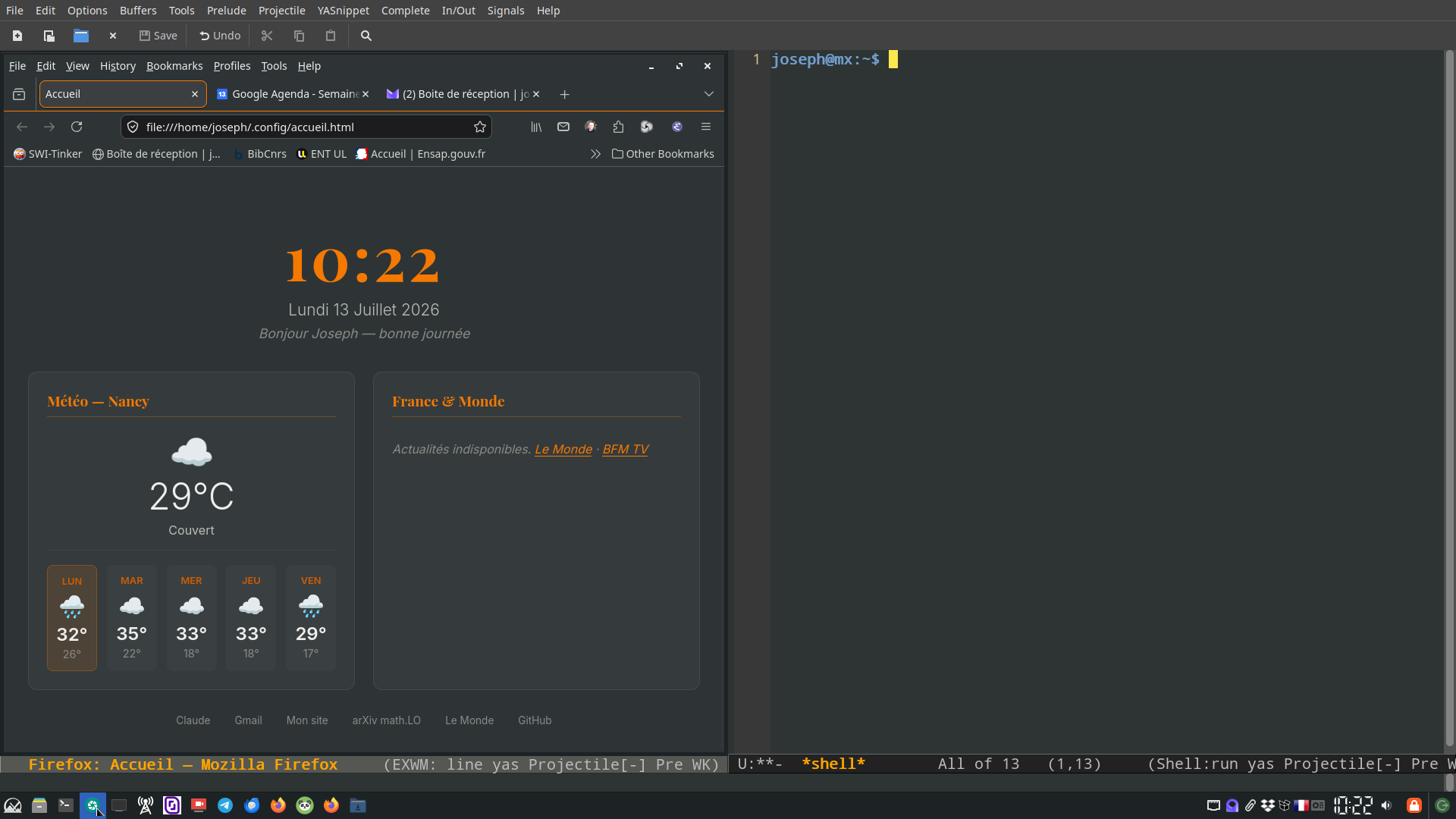
Figure 2: S-s: Firefox and a shell, side by side, one keystroke away
What matters more than the convenience, though, is the direction it points in. This setup makes it easy to keep pulling more of daily computing into Emacs — email (below with Wanderlust), GitHub, and whatever comes next — one habit at a time, rather than as an all-or-nothing conversion.
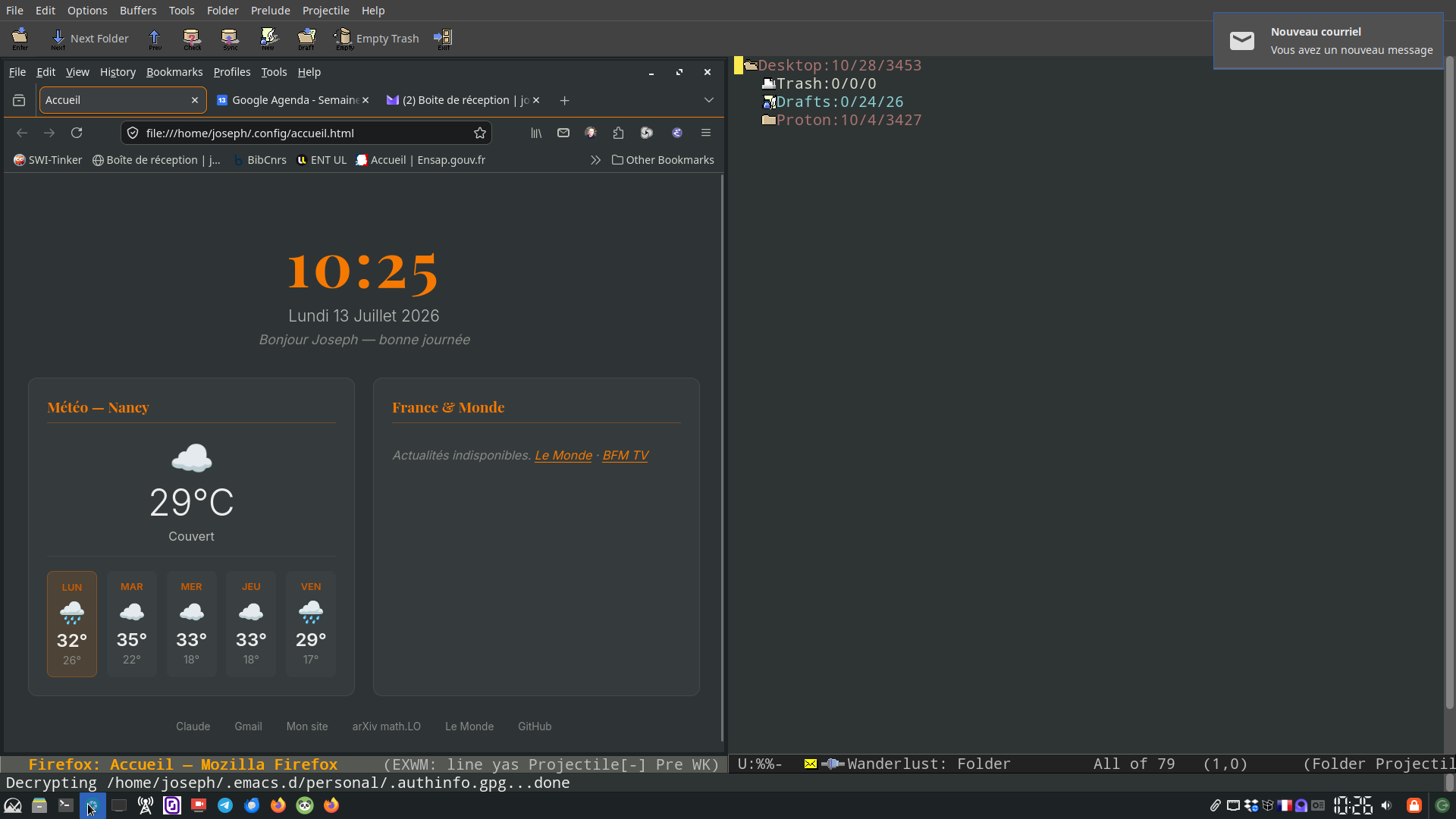
Figure 3: Same command, different pair: Firefox next to Wanderlust, mid-decrypt of the GPG-encrypted authinfo
5. Going further
The full configuration — the EXWM setup, the session glue, and the relevant XFCE autostart entries — is available on GitHub, audited for secrets before publication, with a README covering the architecture and the reasoning behind each piece: joseph-vidal-rosset/personal. For EXWM itself — key bindings, workspaces, floating vs. tiling, RandR, system tray — the official EXWM wiki is the reference.
If you are considering the same move: start from a working XFCE
session, change one layer at a time, and keep pgrep and systemctl
--failed close at hand. None of the pitfalls above are fatal, but all
of them are easier to diagnose one at a time than all at once.